Your Smartphone.
Your Ultimate Control Deck.
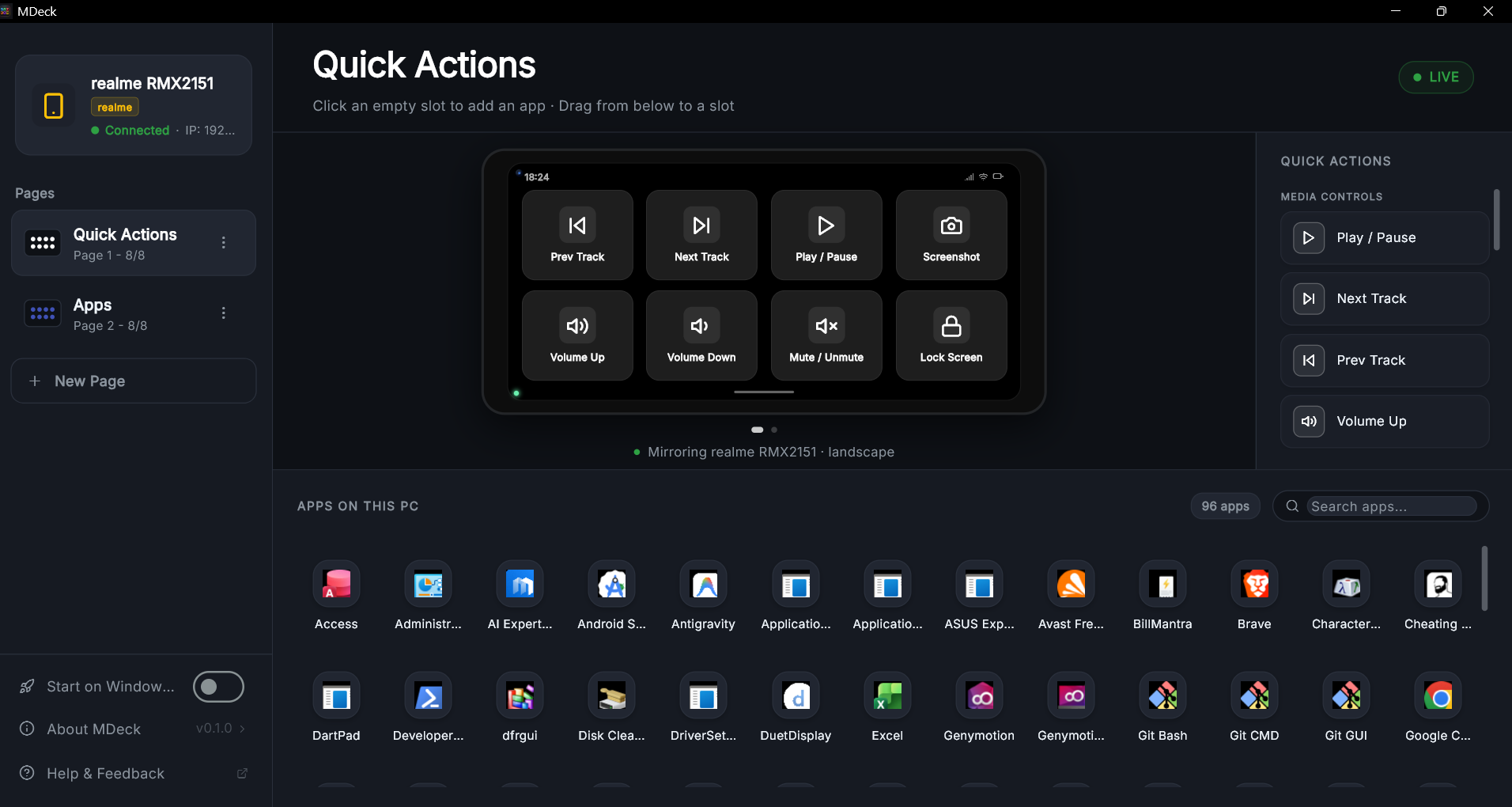
Transform your phone into a low-latency, fully customizable macro pad for Windows. Launch apps, control media, and execute complex shortcuts with a single tap.
Built for Performance
Every layer of the MDeck is optimized for speed, security, and ease of use.
Zero-Latency Control
Powered by local WebSockets for instant response times. Your commands happen as fast as you can tap.
Native Windows Power
Launch apps, open URLs, and trigger system-wide media controls using native Win32 and PowerShell integration.
Automatic Discovery
No IP addresses to type. The phone finds your PC instantly via mDNS discovery on your local network.
Secure by Design
Protected by SHA-256 pairing codes and secure tokens securely stored on your device (Android Keystore).
••• •••
Enter the code from your PC
Getting Started in Seconds
Download & Launch
Get the Windows Server app for your PC and the Remote app for your smartphone from our downloads section.
Pair with a Code
Launch both apps. Enter the 6-digit pairing code shown on your PC into the mobile app to establish a secure link.
Customize & Control
Drag and drop apps, shortcuts, or media controls onto your grid. Tap a button on your phone and watch it happen on your PC.
Beautiful, Tactile, Modern.
Designed to look stunning on your desk and feel like high-end hardware in your hand.
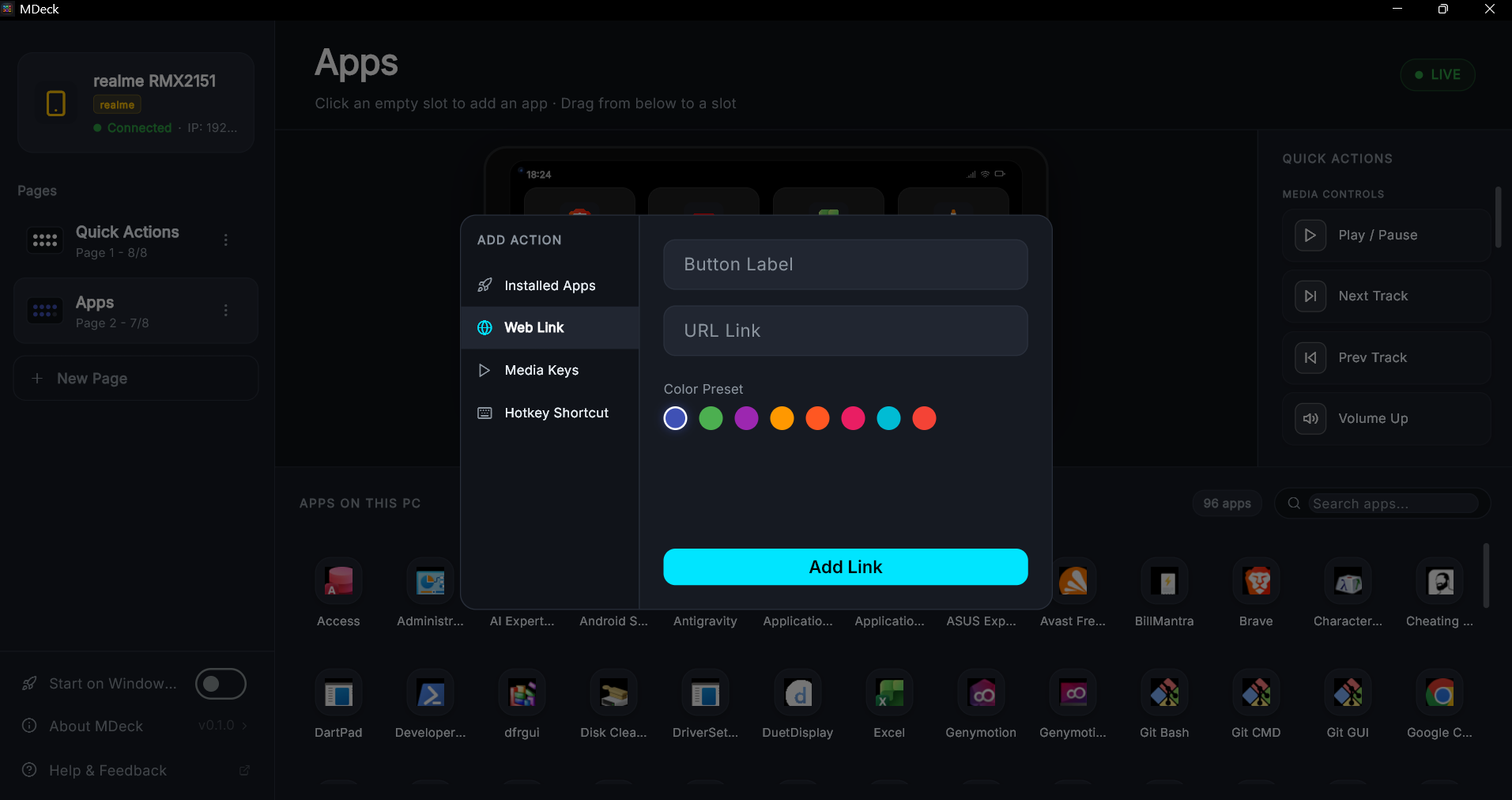
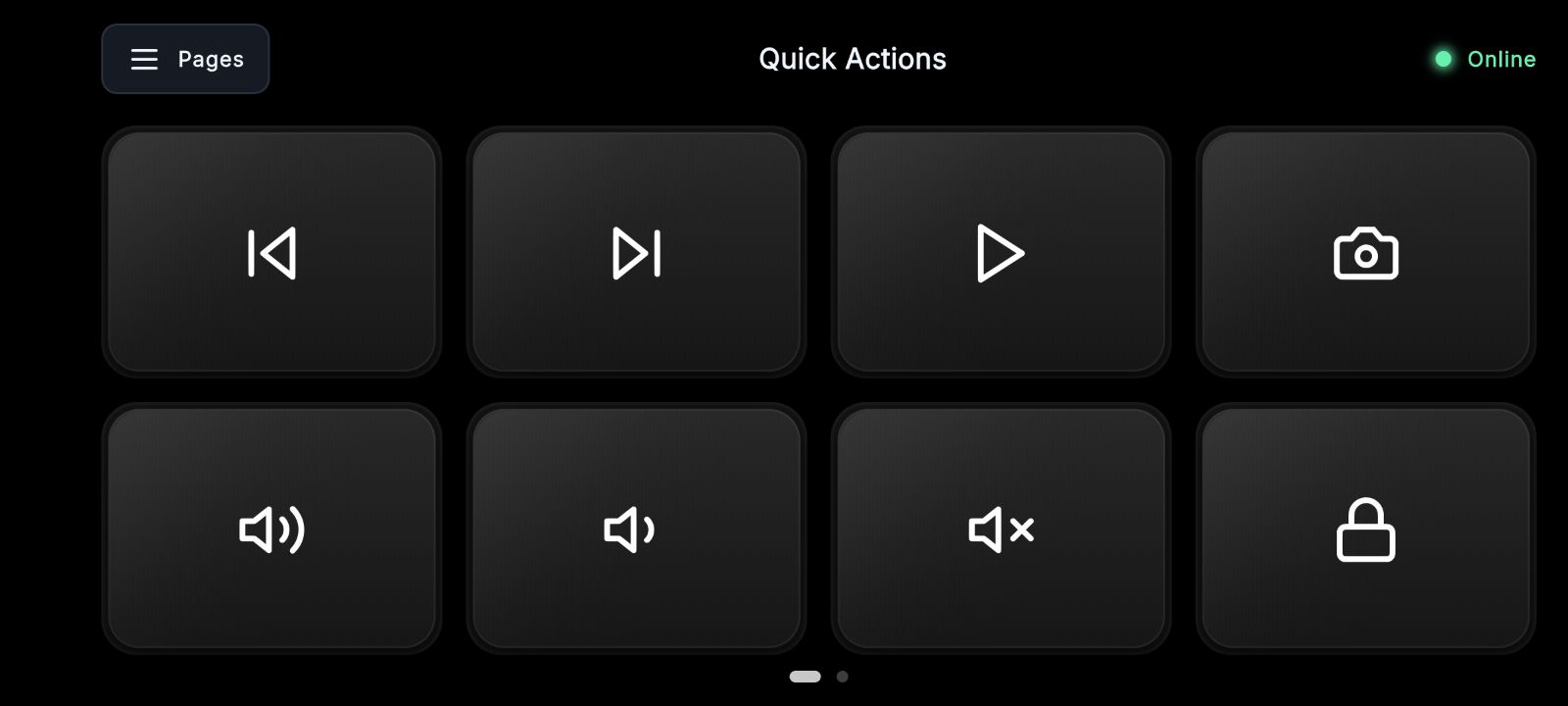 Watch the Demo Video
Ready to take control?
Download the MDeck today and transform your workflow. Always free, always secure.
Requires Windows 10/11 and Android 8.0+
Help us improve MDeck
Found a bug? Have a feature idea? We'd love to hear from you.